Show airport distances on world map
In Aerobiz Supersonic, the distances between airports are not easily accessible. And the same can be said for airplane range, having to go through several menus and message boxes to see their stats in game. Usually when playing, I'd sit with a table open of all the airport distances and another with all the airplane stats. Even with the data, scrolling through tables and comparing the big numbers still isn't optimal.
So i'm trying to simplify this data crunching in a few ways. Firstly by changing distances down from thousands of miles to a simple 1-6 range. This also applies to airplanes, so it's quicker to see if a plane can reach a destination.
And secondly by showing the ranges on the world map when an airport is highlighed.
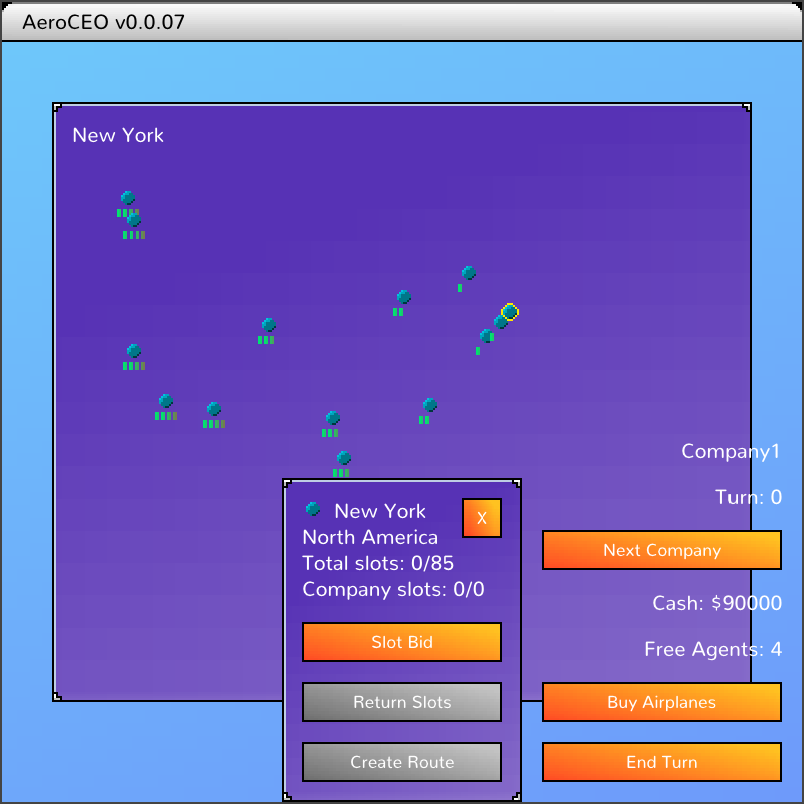
Here you can see New York is the focused airport, so nearby Chicago is a 2 range, and LA to the far right is a 4 range.
With the buy airplane screen also quickly updated to show these simplified ranges, it's easily too see what planes I should purchase for these routes.
Previous: Returning slotsNext: Route economics